Master Your Domain
Designed as an eDiscovery command center, PULSE Portal is a force multiplier for eDiscovery operations that empowers legal teams and service providers to manage their entire Relativity environments with integrated visibility, control and autonomy functions to optimize matters and results.
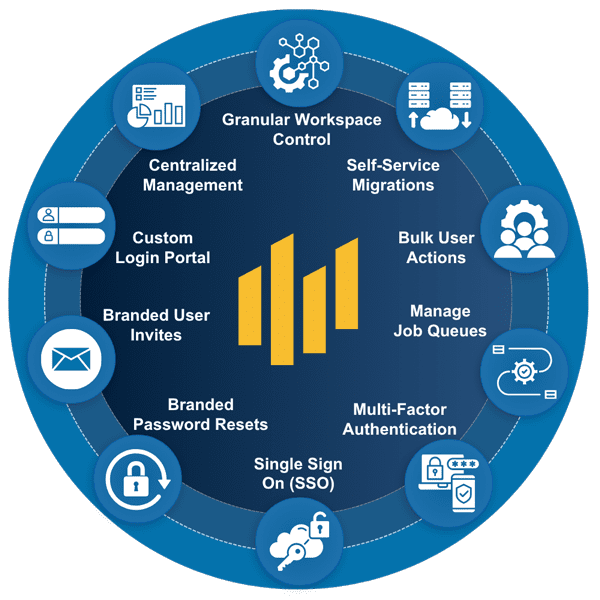
Centralized Relativity Management
- Manage clients, sub-clients, users, workspaces, and permissions across Relativity Server and RelativityOne
Granular Workspace Control
- Install scripts, apps and manage jobs and workflows with precision
Self-Service Migrations
- Manage ARM archive and restore jobs from a central location – no need for system admin credentials
Bulk User Actions
- Auto-disable inactive users, invite, import, enable/disable and reset passwords with audit-ready tracking
Create Custom Branded Experience
PULSE Portal enables users to quickly and easily build customized, branded landing pages to provide clients with a personalized, familiar experience congruent with their brands.
Branded Login Screen
- End users access Relativity through a portal that reflects your brand identity and supports SSO for seamless authentication
Personalized User Invites
- Administrators can invite users to the PULSE Portal with tailored messages and branding, ensuring each invite feels personal and aligned with your organization’s identity
Custom Password Reset Emails
- Branded and secure password reset flows, integrated with MFA, ensure consistent user experience and compliance

Orchestrate Relativity Environment Aspects
Configured to optimize the entire Relativity experience, PULSE Portal provides users with a powerful blend of strategic oversight, workflow automation, security / compliance and data intelligence to orchestrate seamless projects with all constituents.
Strategic Oversight
- Monitor and manage all clients, sub-clients, and workspaces from a unified dashboard
- Instantly configure permissions and roles across Relativity Server and RelativityOne
- Oversee operational health and activity across your entire Relativity ecosystem
Workflow Automation
- Launch scripts and apps to automate routine tasks and accelerate project delivery
- Streamline job management for consistent, reliable results
Security & Compliance
- Enforce user policies with auto-disable and access controls backed by SSO and MFA
- Centralize password resets and user enable/disable actions for rapid response
- Maintain audit trails for all administrative actions to support compliance need
Data Intelligence
- Prepare for advanced analytics with upcoming dashboards for storage, billables and custodians
- Track data sources and review activity to inform strategic decisions